Under the Reports tab it is possible to retrieve some datasets in CSV, JSON or XLS format via Data Export. Here it is possible to retrieve various datasets for analysis in other data processing programmes. The Reports function is available to users with the administrator role, manager role or researcher role.
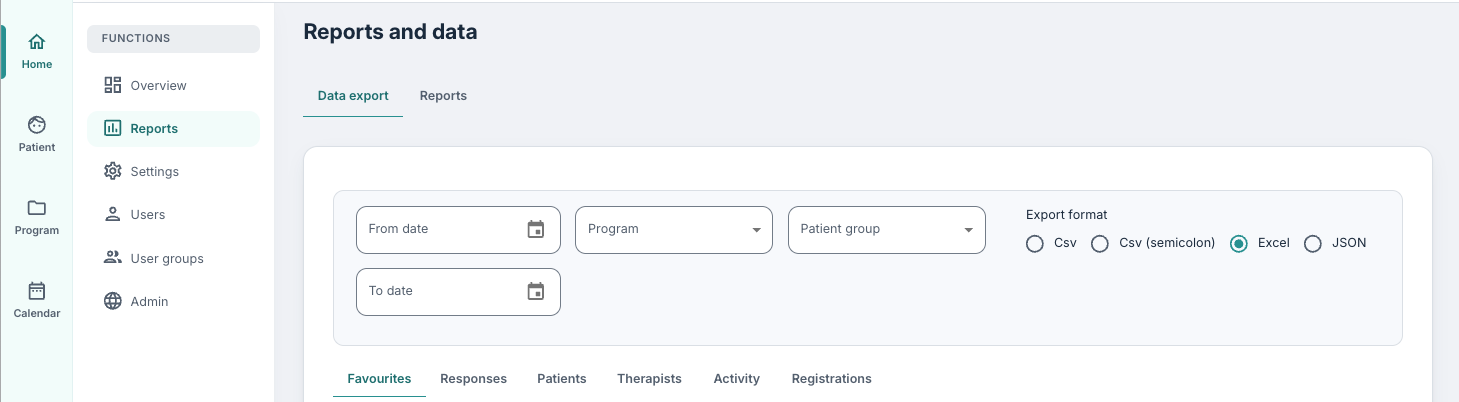
At the very top of the Data Export page there are some filters that can be used to specify the range of datasets that are to be retrieved. It is possible to filter by date (for the programme), programme and patient group. Under Export format,Excel is set as the default, but it is also possible to choose Csv, Csv (semicolon) and JSON as needed.
The filter view exists and applies to all data export, including what is created under Responses and the standard exports.
When downloading Excel files there will be multiple sheets in each file as the first sheet contains the report itself and the second sheet contains column descriptions (and potentially a codebook).
It is important to handle the data files in accordance with data protection and standard regulations when they are downloaded to a local disk.
Column header separator decides how the column headers in response and registration exports are written: Keep as is (the default), Hyphen (-) or Underscore (_). With a hyphen or underscore, the chosen character replaces every space, hyphen and underscore in the header, which makes the files easier to use in statistics software. The choice is remembered in your browser. It does not apply to list exports such as the patient list, therapist list and consents.
A question mark icon is displayed next to the reports. This can be used to see which columns are included in the extract. The descriptions that are found there are what is included under Column Description in the Excel export.
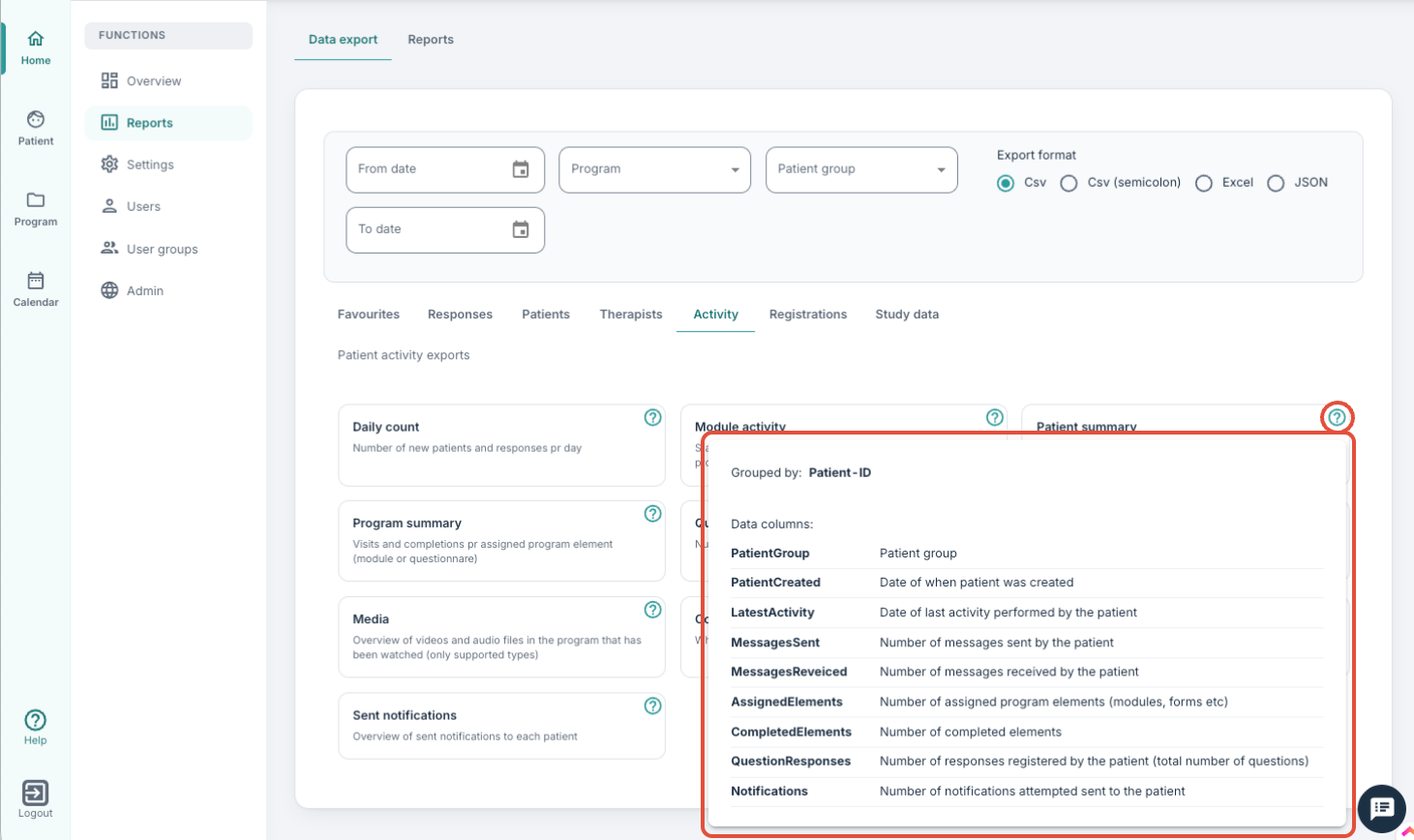
The tabs under the filters provide access to various extracts that may be relevant for you.

Was this article helpful?
That’s Great!
Thank you for your feedback
Sorry! We couldn't be helpful
Thank you for your feedback
Feedback sent
We appreciate your effort and will try to fix the article